


You don’t need a bigger team. You need a Chief of Staff.
Guide 2: turn Claude into the chief of staff you can’t afford to hire.
I run an AI agency full time, and I write this newsletter for fun. No team, no assistant, no chief of staff, because who hires a chief of staff for a company of one?
For a while my whole system was a to-do list I kept rewriting. I tried blocking my whole calendar like everyone tells you to, and it didn’t work. The blocks didn’t know that the thing due today was actually the thing on fire, so I’d blow right through them and still miss stuff that had to get done. Then I’d be at school pickup with my kids, half there, suddenly remembering the email I never sent. Busy and behind at the same time. You know the feeling.
Here’s what changed. I stopped trying to be more disciplined and built a chief of staff inside Claude. I’ve been running it a few weeks and it honestly feels like a cloud lifted. I start the day knowing what actually matters and in what order, and the small stuff sits at the bottom where it belongs.
This guide is how I built it. The real setup, the actual prompts, and the spots where it’s still a little duct-taped. It runs on the second brain from Guide 1, so it already knows your company, your role, and how you sound. You’re just teaching it to run your days.
(New here? Build your second brain first, that’s Guide 1. This one assumes you’ve got it.)
First, give it a name
Sounds silly. Do it anyway. Mine is Claudia. A name is the difference between a tool you forget to open and a person you actually check in with, morning and night. You talk to a name. You build a habit around a name. You’ll catch yourself thinking “did I tell Claudia yet,” and that little bit of pretend is what makes it stick.
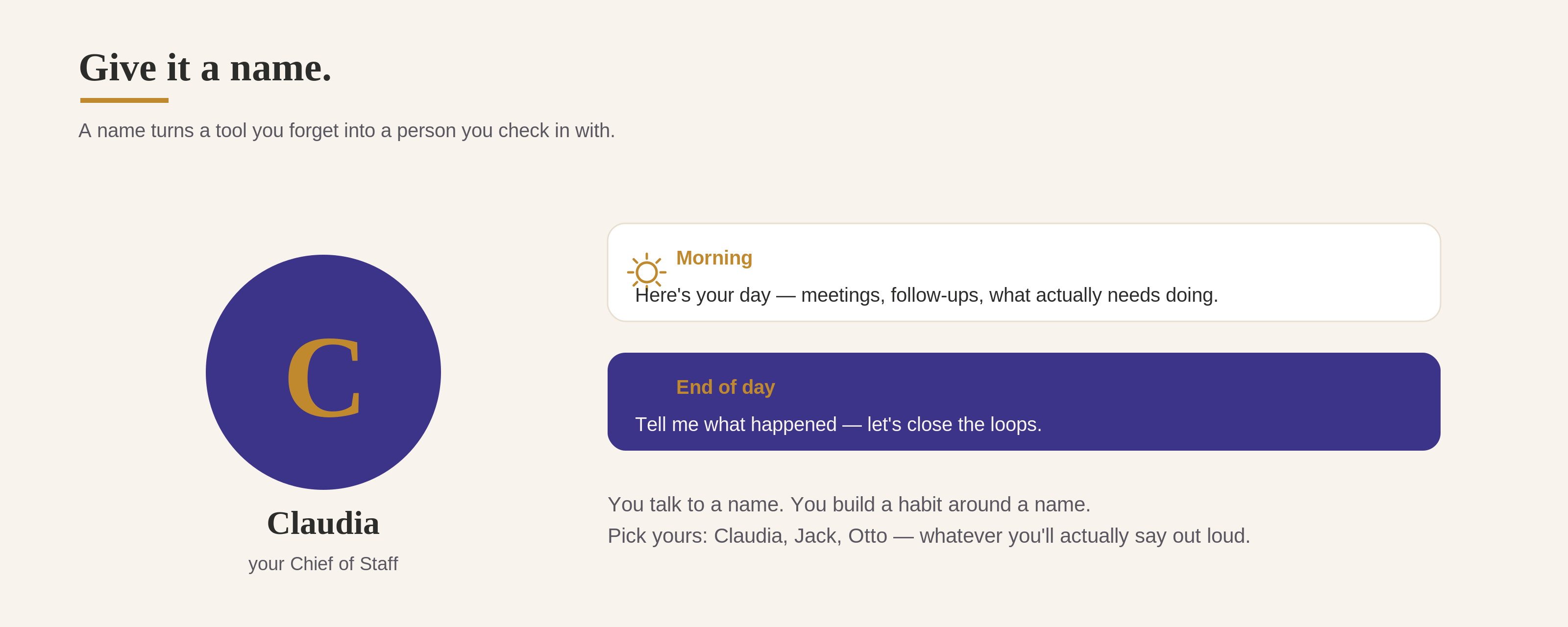
Pick whatever you want, Claudia, Jack, Otto, your kid’s imaginary friend. I’ll say Claudia. You swap in yours.
It’s really just one loop
Forget the fancy chief-of-staff org chart. It comes down to two moves, every day.
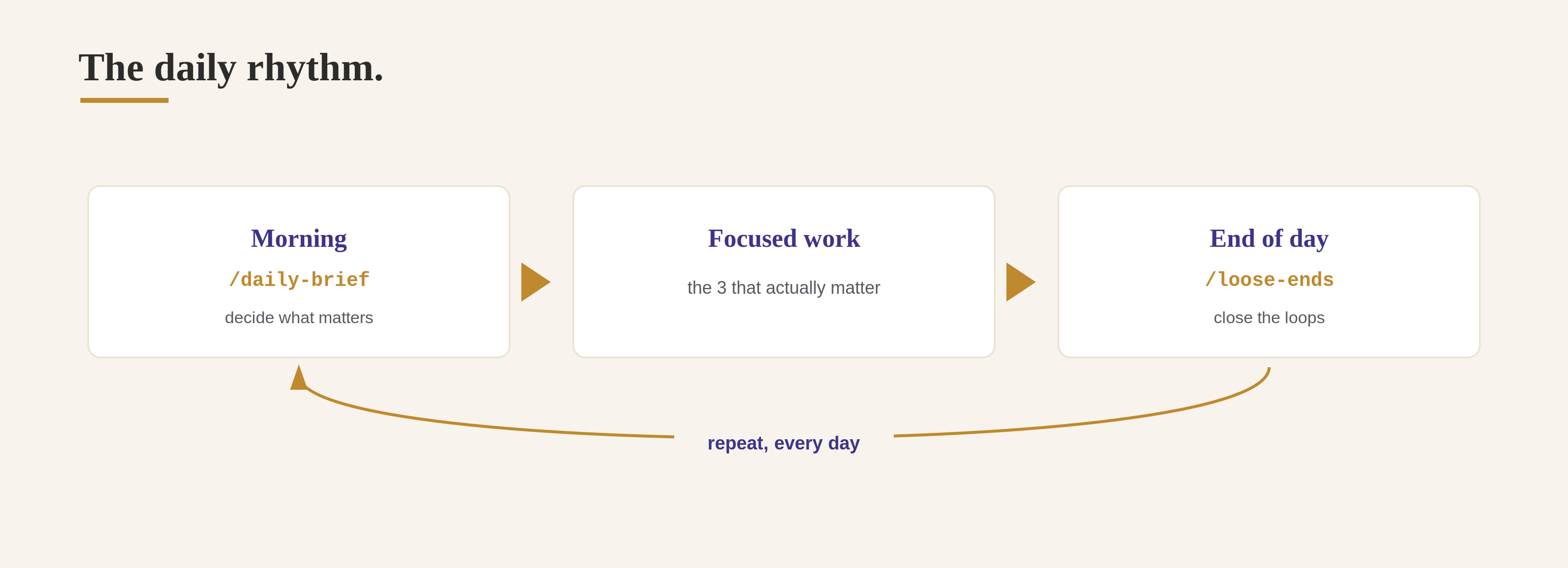
Morning, a brief: here’s your day, ranked, with where to actually spend your time. Evening, a brain dump: you tell Claudia what happened, she sorts it, and she remembers it for tomorrow.
The morning brief is only good because last night’s dump fed it. Skip the dump for a few days and it goes stale. Keep it up and it sharpens every morning, because it knows more about your actual life. Everything else in this guide just serves that loop.
Where she lives
One thing to clear up before we build: Claudia is a Project. That’s it. Doesn’t matter if you work in the browser or the Cowork desktop app, it’s the same thing, a project that exists just for this. Everything below goes inside it.
Step 1: Build the Claudia project (15 min)
Make a new project called “Claudia.” This holds the standing context a good chief of staff keeps in their head. Build it the way you built your brain, by talking.
Help me build the standing context for my chief of staff, Claudia. She sits on top
of my second brain, so don't re-cover my company or role. This is about what I'm
carrying right now.

Interview me with the AskUserQuestion tool, in small batches. I'll answer out loud.

Cover:
- My priorities and goals this quarter.
- The people who matter (boss, team, key clients) and what each needs from me.
- My recurring meetings and what each is really for.
- The live projects I'm driving, and where each one stands.
- What tends to slip through the cracks for me.

Then write a tight standing context I can save as Claudia's instructions, plus a
starter Open Threads list. Keep it lean, I'll update it as we go.
Save it as Claudia’s instructions. This is the one thing you’ll refresh often, usually on a Monday.
Step 2: Give Claudia eyes (the connectors)
A chief of staff who can’t see your calendar is guessing. This is the step people skip, then wonder why the brief feels generic. Turn on the connectors so she works off your real day.
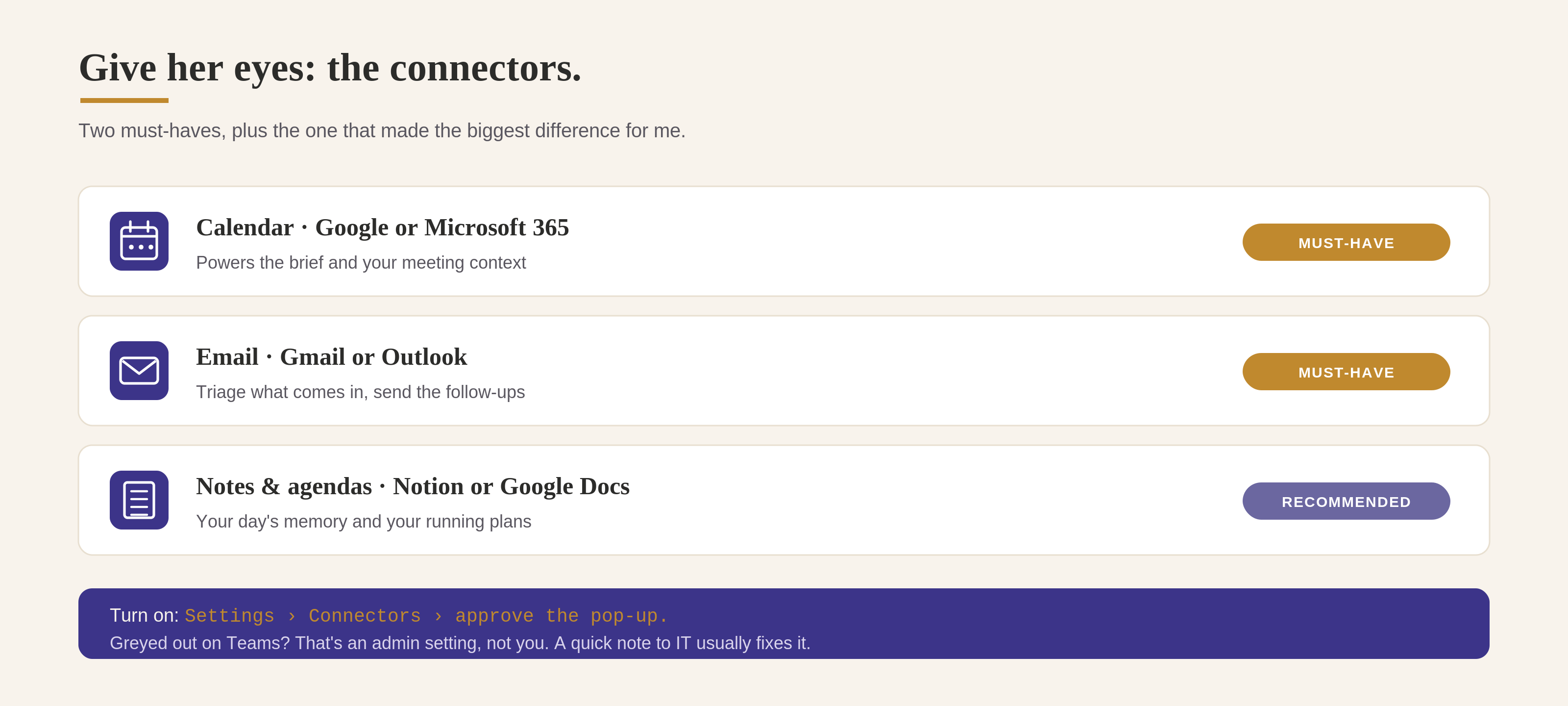
The two you actually need: Calendar for the brief and meeting context, and Email for triaging what comes in and sending the follow-ups.
Google (Calendar + Gmail) is the simplest, and it’s what I use.
Outlook works too, through the Microsoft 365 connector. Two honest catches: it’s read-only (Claudia can read and draft but not send), and it needs a work Microsoft account, not a personal @outlook.com. There’s also a Claude for Outlook add-in in beta if you want more.
To turn them on: Settings, Connectors, switch on Calendar and Email, approve the pop-up. On a personal plan that’s two clicks. On Team or Enterprise, some are admin-controlled, so if a toggle is greyed out that’s a policy setting, not you, and a quick note to IT usually fixes it.
Point her at your running agendas too. This is the one that made the biggest difference for me. I keep running agendas for my meetings and projects, and Claudia reads them, so the brief knows what’s actually coming, not just what’s on the calendar. Connect wherever they live (Notion, Google Docs) or drop them in the project.
No connectors at all? You’re not stuck. Paste in your agenda and forward yourself the emails you want handled. Connectors make it automatic, pasting makes it work today.
Step 3: Give her a memory (a running doc)
This is the piece that makes the loop build on itself, and the one most setups skip. Here’s the trap: if you just talk your day into a chat, that chat is a dead end. Tomorrow’s brief opens a fresh conversation that remembers nothing. The dump has to land somewhere it sticks.
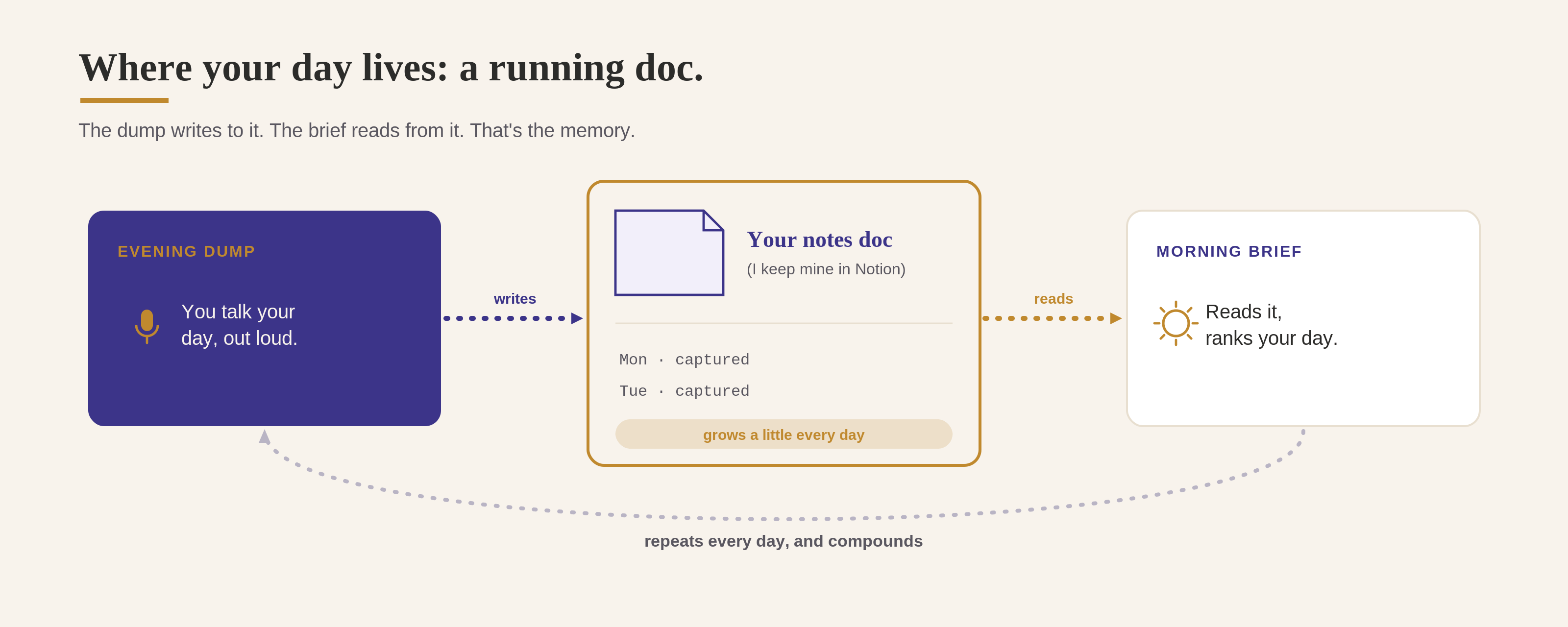
So point Claudia at a running notes doc. Each night your brain dump gets added to it, dated. Each morning the brief reads it. That doc is your memory, and it’s the answer to “where does my voice note go.” Straight into the doc.
I keep mine in Notion, a page called “Claudia EOD Brain Dumps.” Could be a Google Doc, a Notion page, whatever you already live in. Set this up now, before the skills, because the skills read and write to it.
Step 4: Build the two loop skills
Same move as Guide 1: tell Claude what you want, let it build the skill, run it with /. These two are the whole loop.
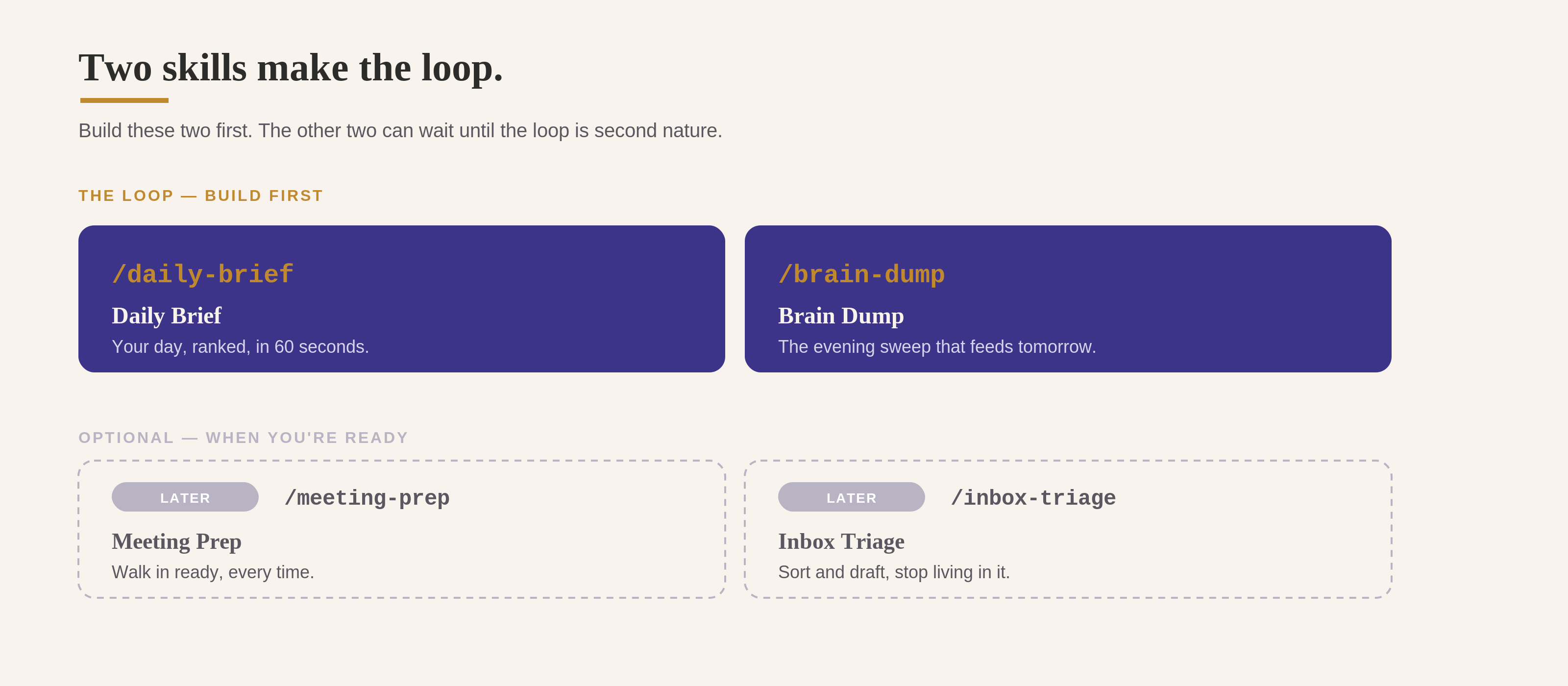
1. Daily Brief · /daily-brief Your whole day, ranked, in 60 seconds.
Build a skill called daily-brief. When it runs in the morning, read my Claudia standing context, my running notes (last night’s brain dump), my running agendas, and today’s calendar. Then give me: a two-line context up top (what I got done yesterday, and what kind of day today is), a “Where to focus today” section with the 2 or 3 things that actually matter and why, a “Today’s to-dos” list matched to my brain dump, most important first, marking anything already handled and flagging anything you couldn’t find in my calendar or email so I know it’s on me to pull up, a “Follow-ups owed” section for who I owe and what, and a callout for any calendar changes like freed-up time or cancellations. Keep it to one screen.
2. Brain Dump · /brain-dump The evening sweep, the one that matters most.
Build a skill called brain-dump. At the end of the day, ask me what happened, and I’ll talk it out. Turn my ramble into what I committed to and to whom, who I’m waiting on, and what’s starting to slip, sorted by area (mine are Numeriq, AI After Carpool, and Personal). Add today’s summary to my running notes doc, dated, and don’t overwrite what’s already there. Then draft the follow-ups I owe in my voice and ask me which to send.
Get the brief without lifting a finger. This is the good part. Ask Claude to schedule it: “Every weekday at 7am, run my daily brief and have it ready for me.” Now it’s just there when you sit down, which is the whole point. You can still run /daily-brief yourself anytime you want a fresh one. (Honest catch: a scheduled run fires while Claude is running for you, so keep that in mind if you close everything down overnight.)
Make the brain dump impossible to forget
The dump is easy, you just talk. Remembering to do it is the hard part. So don’t leave it to willpower, make it a standing appointment.
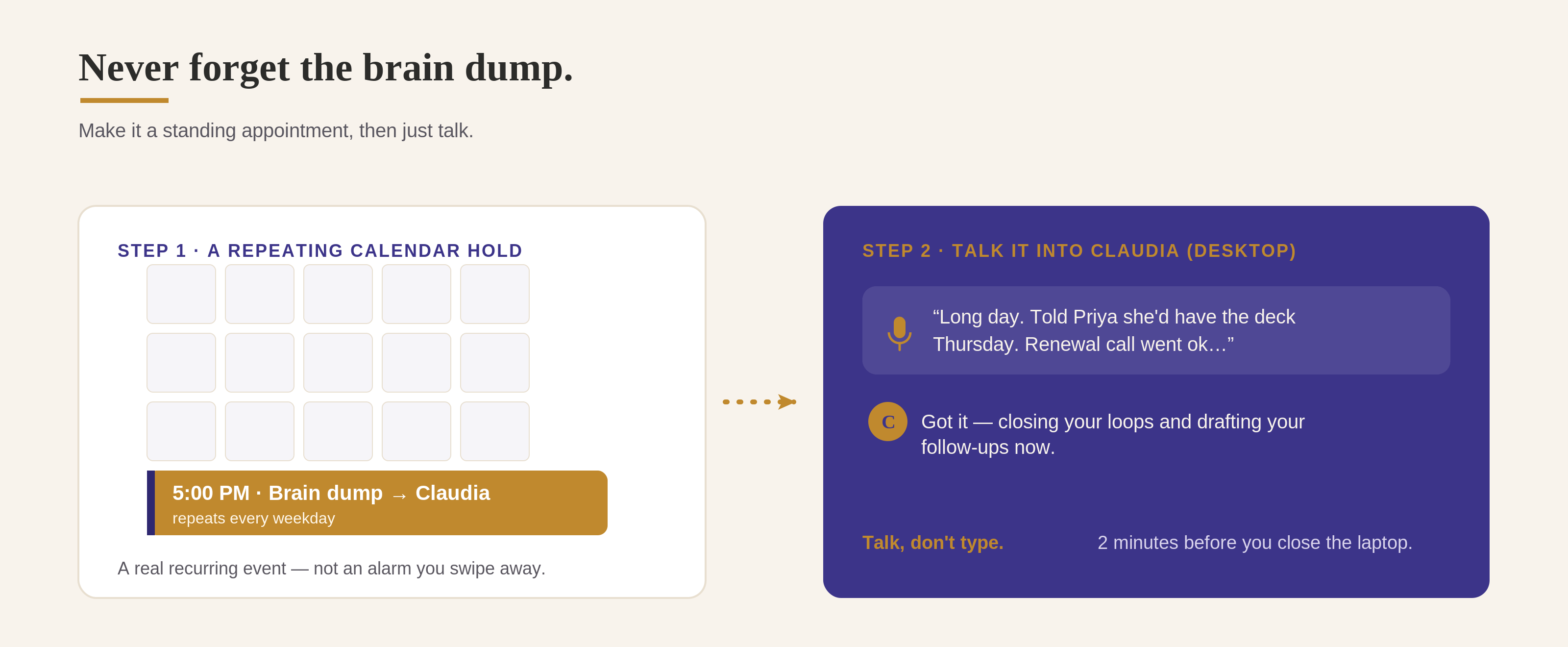
Set a repeating calendar hold. A real recurring event, every weekday, end of day. Mine’s at 5:00pm, called “Brain dump to Claudia.” Set it to repeat and forget about it.
When it goes off, don’t type, talk. Open Claudia and talk it out loud, like you’re catching a colleague up on the way to the parking lot: who you met, what you said yes to, what’s nagging you.
Run
/brain-dump. She sorts it, writes it to your notes doc, and drafts what you owe.
Two minutes, before you close the laptop. (Not at your desk? Talk it into the Claude app on your phone.)
Sending: don’t let it sit in drafts
Everyone’s gripe with AI assistants is that they write the email and leave it in a drafts folder you never open. We’re not doing that. But handing over the send button is where you go slow. So, two rungs.
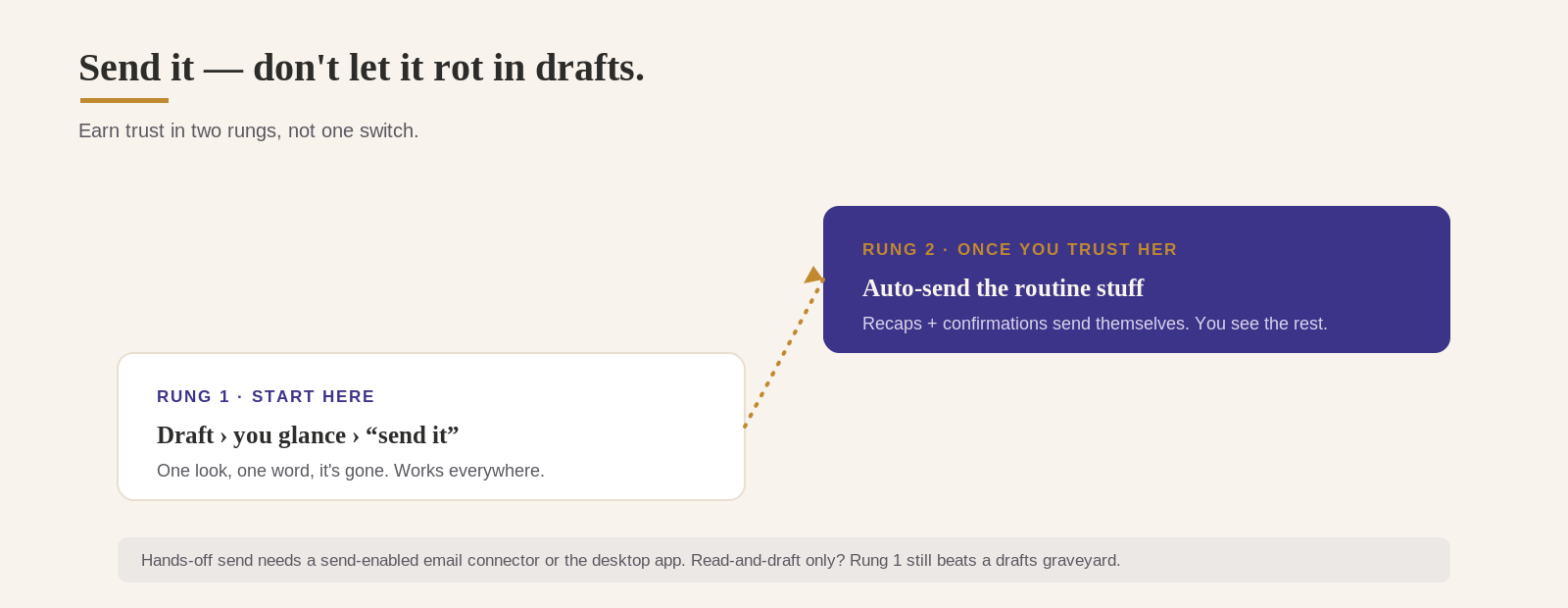
Rung 1: draft, you glance, you send (start here). Claudia writes it, shows you in the chat, you say “send it,” done. No drafts graveyard, no forgetting. This is the default, and honestly where I still am. I keep everything on draft and send it myself. No rush to move off this rung.
Rung 2: auto-send the routine stuff (once you trust her). After a couple weeks you’ll spot the emails you never edit, the got-it-thanks replies, the standard recap, the FYI forward. Tell her: for plain confirmations and recaps, just send them and tell me what went out, and show me anything sensitive first. Now the boring 80% sends itself.
One caveat so nothing surprises you: hands-off sending needs a send-enabled email connector. Some (like the Microsoft 365 one) are read-and-draft only, so there Rung 1 is your ceiling. Still beats a graveyard of drafts.
A quick word on staying safe
If you’re on a Claude Team or Enterprise account, your work stays out of model training by default, so you can put real work context into Claudia and sleep fine. Still follow your own company’s policy. On a personal plan you can turn training off yourself under Settings, Privacy. Either way, use the same judgment you’d use writing a normal work email, and you’re good.
When you’re ready: two more skills
The loop is the whole game. Once it’s second nature, a chief of staff does two more jobs worth automating. Build them the same way. No rush though. Build all four on day one and you’ll have four things you half-use instead of one loop you actually live by.
Meeting Prep · /meeting-prep
Before a meeting, ask me who it’s with and the topic (or read the invite). Give me who they are and our history, the context I need, the one outcome to push for, and three sharp questions to ask. Short enough to read in the elevator.
Inbox Triage · /inbox-triage
Read my inbox and sort it into four buckets: needs a reply, needs a decision, FYI, and can wait. Draft the quick replies in my voice and let me approve each one to send, don’t leave them sitting in drafts.
What mine actually looks like
Enough talk, here’s my real morning brief. I stripped out the details, so what you’re seeing is the structure Claudia gives me every day: a quick context line up top, where to focus, my to-dos matched to last night’s dump (with the done ones crossed off and the ones she couldn’t find flagged), and follow-ups I owe.
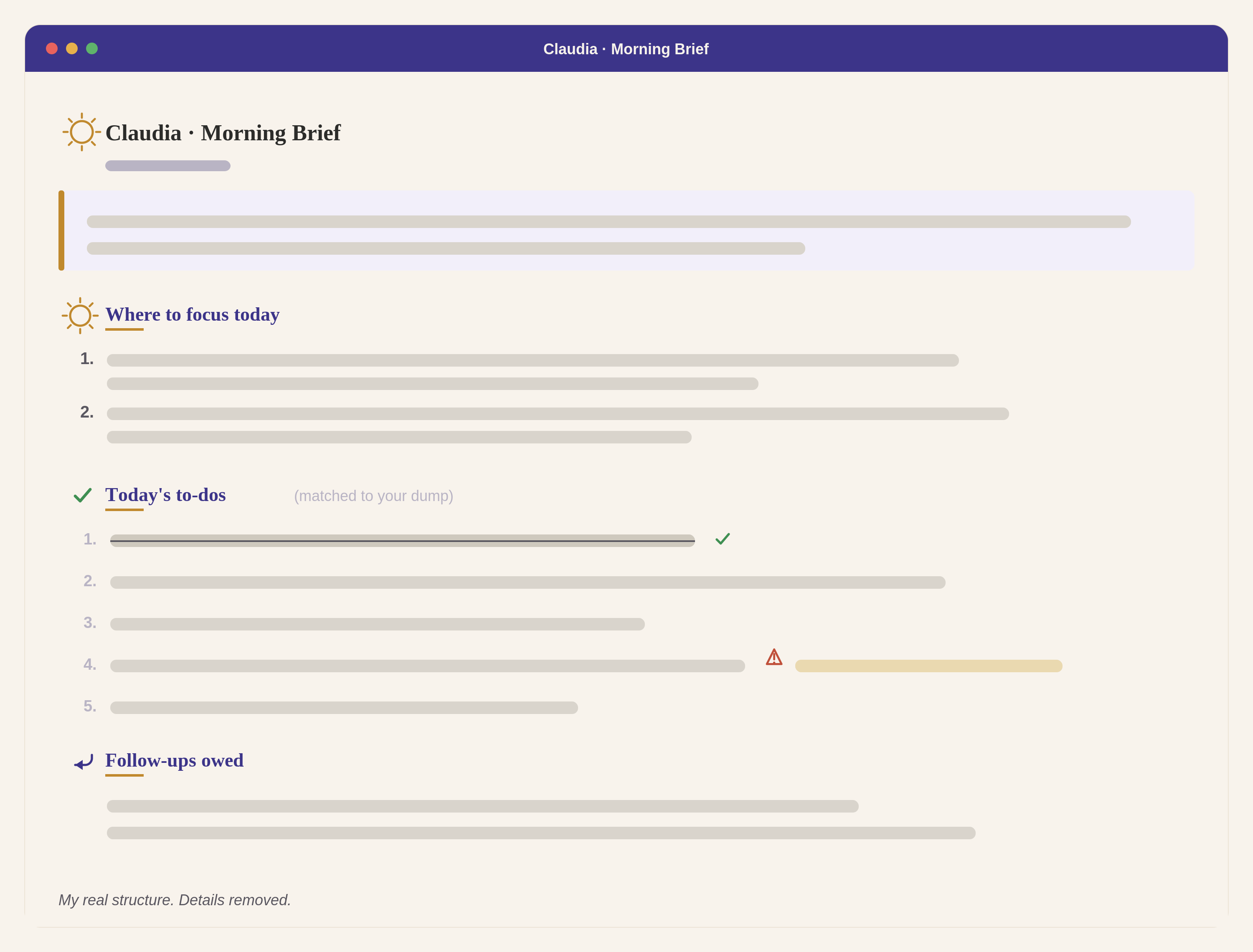
Yours won’t look polished. It’ll look like an assistant who actually remembers what you told her yesterday, which is the whole thing.
Start here
Don’t build all of it. Build the loop. Set up your Claudia, point her at a notes doc and your calendar, and make just /daily-brief and /brain-dump. Run them for a week, brief in the morning, dump at 5:00. That pair alone is 80% of it, and it’s the part that lifts the cloud.
Save this. Send it to the friend who keeps saying they need an assistant and has one sitting unopened on their laptop.
I’ll see you after carpool.
Danielle
I think the workflow is alright, but it's far from what a chief of staff does. I wish you could give it a more appropriate name. What you are describing is an EA's job at best. This is the reason why so many people think that COS is an admin assistant role.
What happens to things that don't happen on a day to day? Longer term projects that need follow up? Does Claudia remind you of things in advance?
I read this as “The person who ruins your day” and I thought… why would I want to ruin my own day? THEN I thought… well if SOMEONE OR SOMETHING is going to ruin my day, I’d rather I do it myself than hand the task over, so bring it on. Then I re-read the title correctly.