
How I Run Three Work Lanes and a Household on 30 Minutes a Week
Guide 6: how I set up the week - my secrets to using AI to get the most out of my week

August has felt slower than the other months. Camps coming to an end. The August family vacation where we are balancing kids and work, and work and kids.
School starts the last week of August. And with it tags along the forms, school supply lists, the class list (why is it always SO thrilling to find out who is in their classes/who their teachers are??). And then the after school activities I have to make sure I sign up for on time. As a Type C parent, it’s exhausting. IYKYK.
A few months ago, I created something called the Sunday Night Reset. But then I realized I don’t actually have Sunday nights, because by end of weekend I am SO TIRED. So instead, I block 30 minutes on Monday morning. I’m going to share that workflow here with you so you can copy it and try it out. If you have a Sunday to give - props to you. Go for it, name it the Sunday morning reset. If not - do what I do, carve out 30 minutes on Monday morning, consistently. Mine is from 9:30am-10:00am.
Claudia, my chief of staff, built in Guide 2, knows me, so what I gather in my Monday morning reset then keeps going all week long. She knows what is going to go on across each lane (Fractional AI/GTM agency, Newsletter world, small business acquisitions, family & personal - all the things).
(New here? This sits on top of the chief of staff from Guide 2. Build that first, it takes about 20 minutes, and this gets twice as good.)
One thing before I start. The second week of September I’m running the live second brain build - the full system these guides come out of, built with you in real time instead of just written up. Reply to this and I’ll put you on the list.
Sunday night is a lovely idea
Every version of this you read says Sunday evening. Tea, candle, review the week. (YA RIGHT).
I have tried. It rarely works. By Sunday evening I have three kids who need to be in bed and I am not in a “let’s open the calendar” mood. If I planned my week then, I’d plan it badly and resent it the entire time. (I’m sure the candle people are lovely. I am one of them, but not on Sunday night)
So, pick the time that works for you. Here are some options:
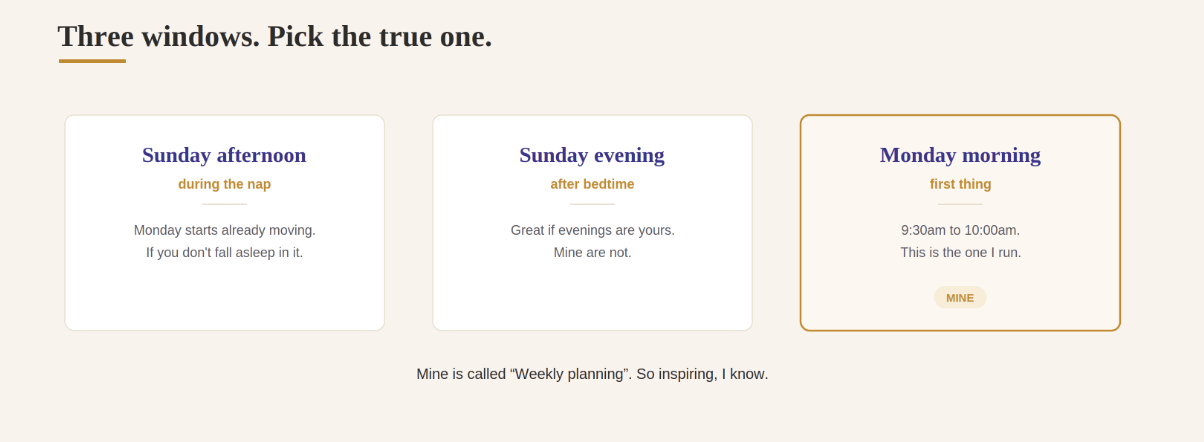
Sunday afternoon, during the nap or the quiet hour. Good if I want Monday to start already moving. Requires a nap that happens and you don’t fall asleep during it.
Sunday evening. Great if evenings are yours. Mine are not.
Monday morning, first thing. This is mine. A repeating hold, 30 minutes, at 9:30am. It would be so lovely to have those 30 minutes back on Monday morning, but this is more realistic for me.
One big list puts the newsletter last. Every time.
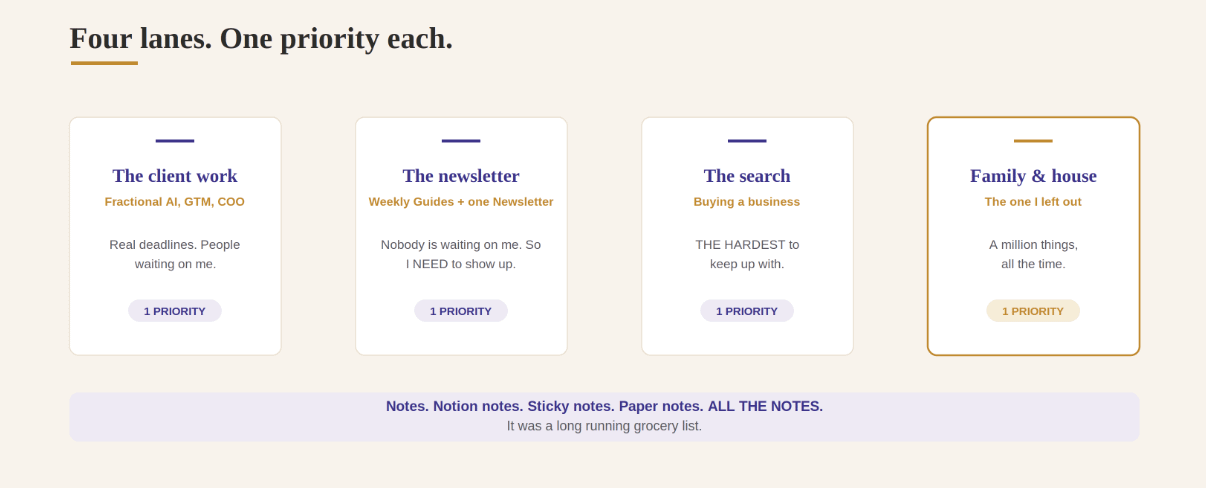
I had To Dos. Running lists on Notes. Notion notes. Sticky notes. Paper notes. ALL THE NOTES. But it didn’t really work well.
I realized that a running list didn’t catch all the things I missed (duh) and wasn’t that great at helping me prioritize what mattered. It was a long running grocery list.
Lanes fix it. A lane is focused, and has its purpose. Its own top 3 issues. Here are mine. Once you know yours, it will become so much easier to set aside what matters, ignore the rest. And if you build a Claudia chief of staff, she will get to know these SO well.
1. The client work. Fractional AI, GTM and COO work. Real deliverables, real deadlines, people waiting on me.
2. The newsletter. Nobody is waiting on me. But I do have a commitment to weekly Guides and one Newsletter. So I NEED to carve out time to show up.
3. The acquisition search. I’m looking to buy a small business. Long horizon, zero external pressure, and a week of nothing there costs me nothing today and quite a lot in a year. This is THE HARDEST to keep up with.
4. Family and house. I left this out of planning entirely for a long time. And then I kept finding myself thinking of all the million things that I have to do all the time. I needed a place to make that clear.
Three or four lanes is a healthy range. More than that, you’ll probably get overwhelmed. Or not.
I want to run a 30-minute weekly reset with you. My lanes are: [lane 1], [lane 2], [lane 3], plus family and house.

Go one lane at a time and don’t move on until I’m finished talking. For each lane, ask me what’s live, what’s due this week, and who I’m waiting on.

Then make me name ONE priority per lane and no more than two supporting tasks. If I try to name three priorities in one lane, push back on me.

When the lanes are done, do three things. One: look at everything I’ve named and tell me what to cut or push to next week, and be direct about it. Two: ask me where in my week each priority is going to happen. Three: give me the family and house list separately so I can hand it off.

Finish with one page I can look at all week: priorities by lane, my calendar blocks, my cut list, and the family list. Short enough to read on one screen.
The starter version: one prompt, 30 minutes
If you do one thing from this guide, do this. Open a chat, paste it, talk.
Talk it, don’t type it. Typing makes me edit myself into a tidier week than the one I actually have, and then I’ve planned a week I’m not about to live.
What my 30 minutes look like
Okay so I actually keep a stop watch to go through each step. Because if I don’t I will just keep going on and on.
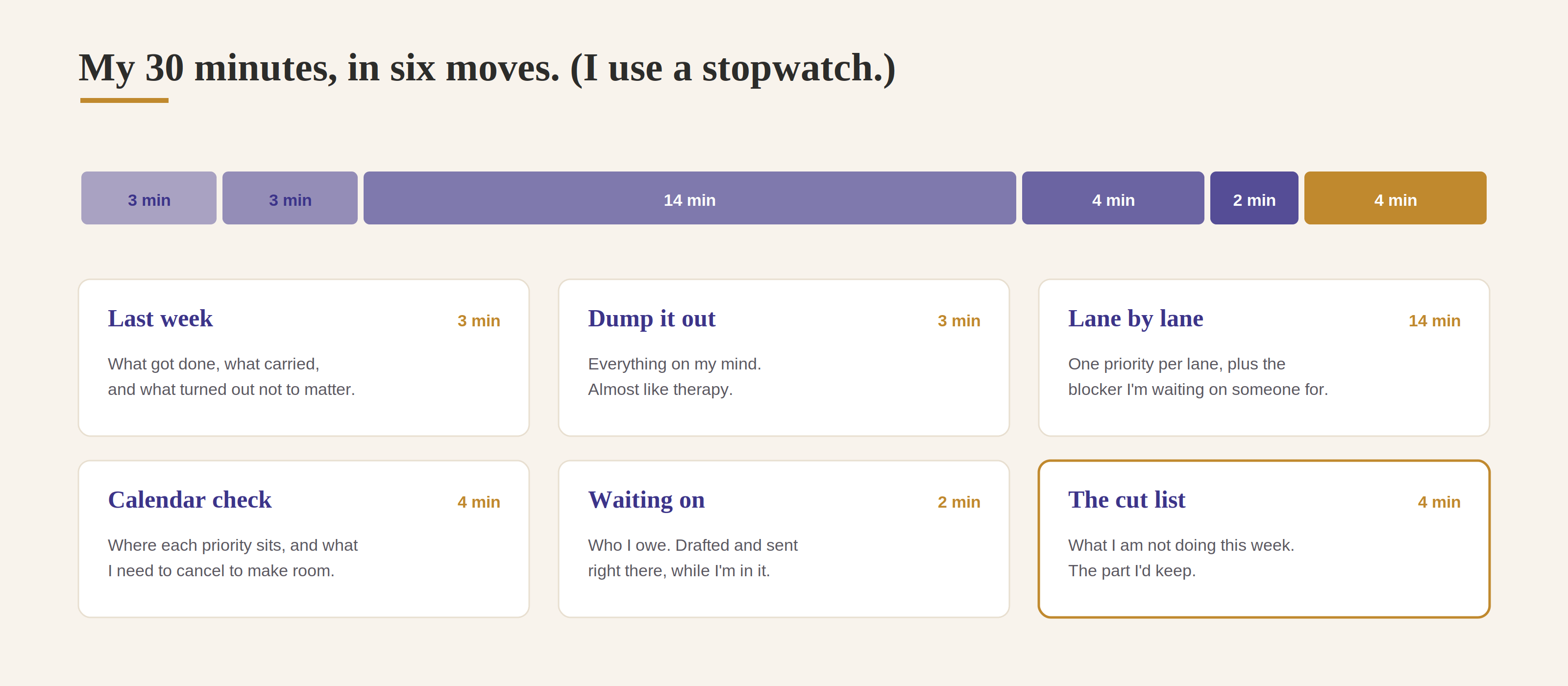
Last week. 3 minutes. What got done, what carries into this week, and what turned out not to matter.
Dump it out. 3 minutes. Everything on my mind. This one is almost like therapy.
Lane by lane. 14 minutes. What’s live, what’s due, who I’m waiting on. Then one priority and up to two supporting tasks. If I can’t name the one thing, that lane doesn’t have a priority this week, it has a pile. Which is also worth knowing on a Monday. Also putting down a blocker for each priority - meaning, is there something that I am waiting on from someone else?
The calendar check. 4 minutes. Monday to Friday, see what’s going on. Where are the committed blocks, where are the open ones, where is each priority going to sit. This is a good check to make sure I know what’s going on, but also see what I need to cancel so that I have time for my priorities.
Who I’m waiting on. 2 minutes. All four lanes, and then I send the follow-ups right there while I’m in it. Claudia drafts, I send. (I still keep everything on draft and send it myself. No rush to leave that rung.)
The cut list. 4 minutes. The good part. Oh HOW FUN it is to say, nah I don’t need to do that.
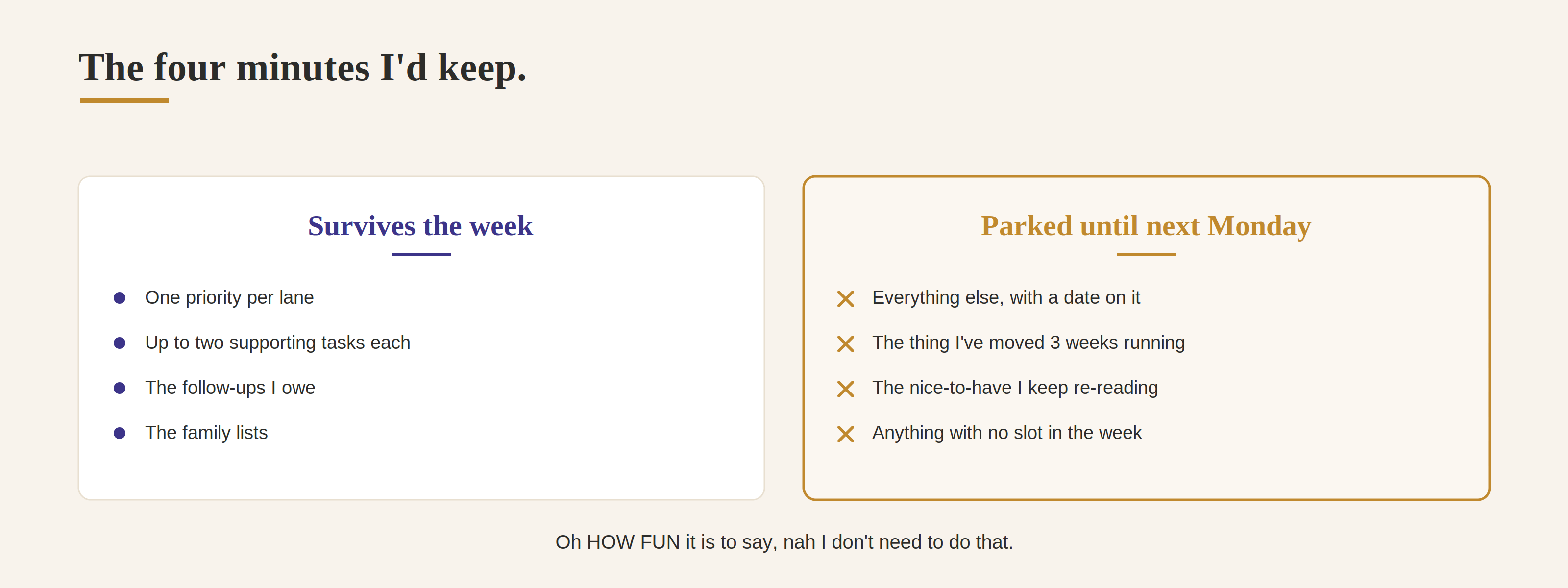
Asking myself what I don’t need to do is amazing.
The level-up: make it remember
Same trap as the chief of staff. A reset that lives in a chat is no bueno. Next Monday opens a blank conversation that has no idea what I said mattered seven days ago.
So it writes to a running doc. One file, newest week on top, dated. Mine sits in Notion next to Claudia’s end-of-day dumps.
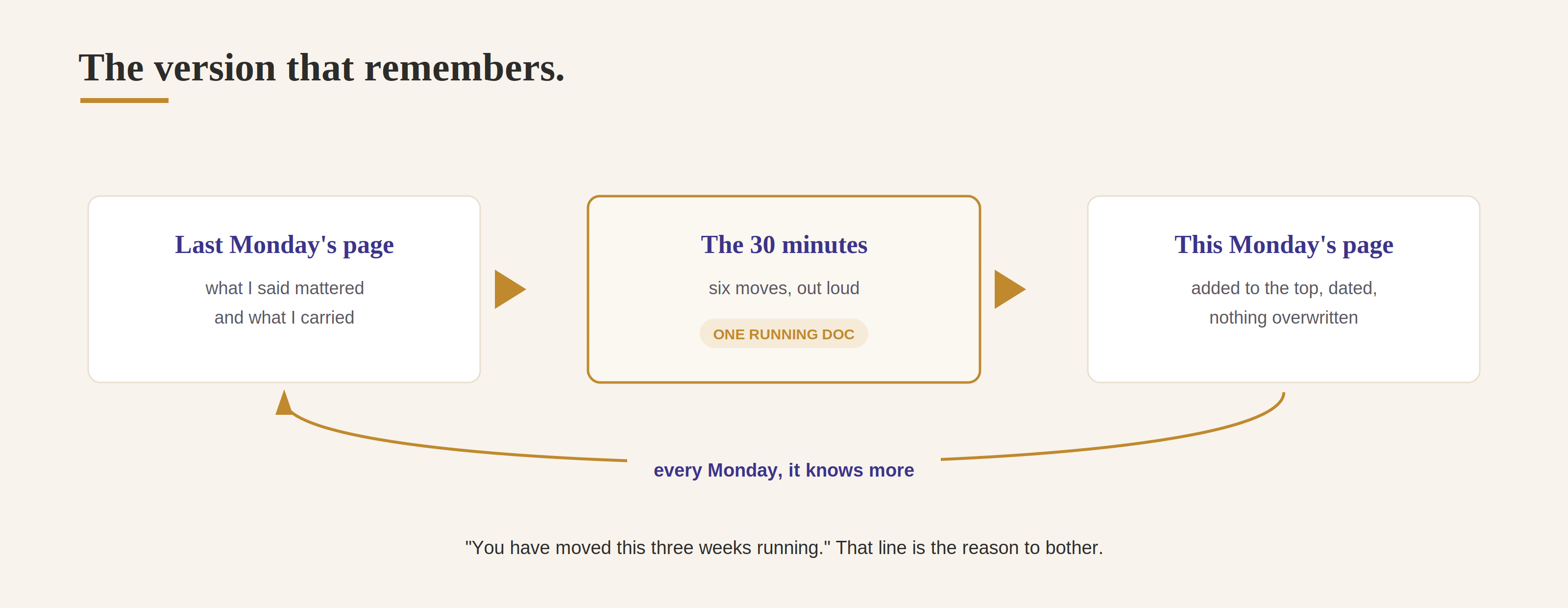
Before we start, read my weekly reset doc and tell me what I said my priorities were last week. Ask me what got done, what carried over, and what turned out not to matter.

Then run the reset as usual. When we’re finished, add this week’s page to the top of the doc with today’s date, and don’t overwrite what’s already there.

If you notice something I’ve carried for three weeks or more, say so plainly.
It is so cool what it will remember after one week.
The family lane matters. SO MUCH.
This is the part I nearly left out of the guide, and it’s the part that changed my week the most.
There is real burden and stress that can blindly follow you when you have so many to dos. A big part for me with this reset has been listing them out, knowing what really has to get done, and also sharing that list with others so that they can help me get some of it done. So often so much of what we feel we have to do lives in our heads. Getting it on paper is my fastest sure way now to getting people to help me.
So family and house gets a lane, and it comes out as three lists I can hand off instead of three things I’m holding.
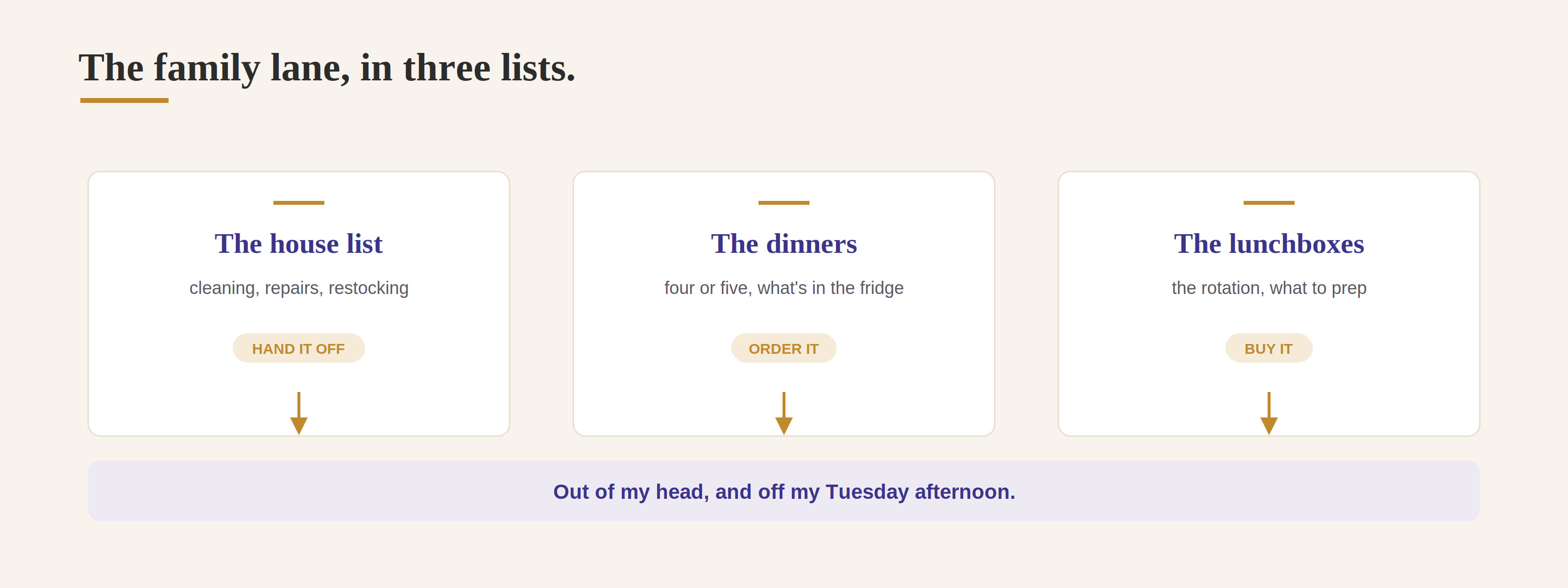
Now the house. Three lists, and keep it quick.

One: walk me through the house and pull out what needs attention this week - cleaning, repairs, restocking, organizing - as a list I can hand off Monday morning.

Two: how many dinners do I need to cover this week, what’s already in the fridge, and any constraints. Pick four or five and build the grocery list.

Three: what’s going in the lunchboxes, and what do I need to buy or prep for that.

Give me the groceries as one list sorted by section of the store, and keep the house list separate so I can send it as-is.
I use this for making grocery lists, setting appointments, ordering lunches, making lunches (I have a Notion board where I actually SNAP pictures of the lunch boxes I packed in the past to add to my planning).
One extra sweep, for September only
September is exhausting. Or end of August. Whichever it is for you when school starts. The forms, new schedules, the stress can fill you for days. So here is one that I am going to try to do going into this school year. It will be new for me so TBD how it comes out:
I’m going to dump everything school-related that’s landed in the last two weeks - emails, forms, dates, sign-ups, supply lists. Sort it into: needs a decision from me, needs an action by a date, and just information.

Give me every date so I can put it on the calendar in one pass, and flag anything with a deadline inside the next ten days.
Ten minutes, and said pile stops being a pile.
What comes out the other side
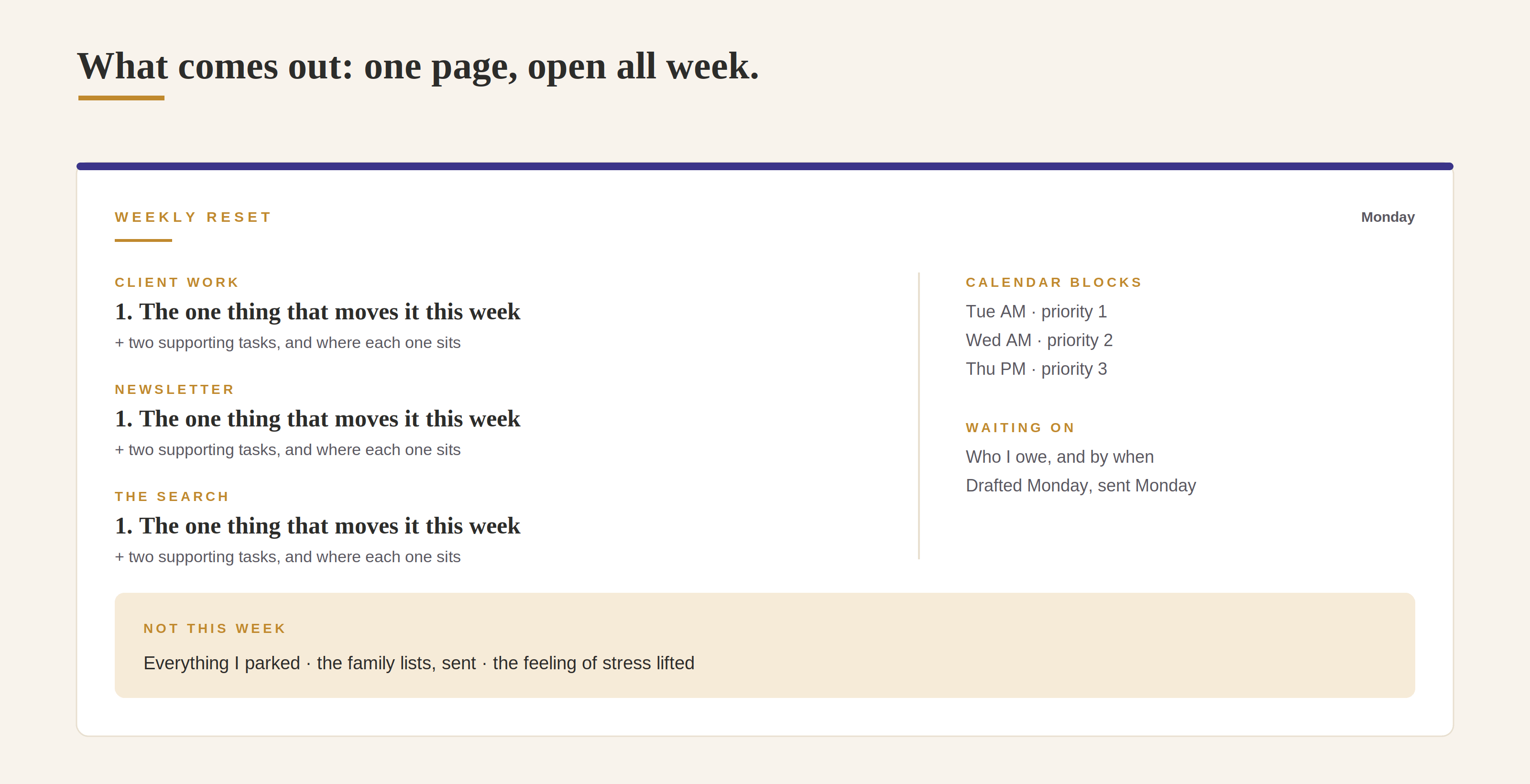
All my week’s priorities written out. The feeling of stress lifted. I have one page, a clear calendar and a few top priorities that need to get done.
Start here
Don’t build all of it this week. Put a 30-minute repeating hold on Monday morning, name your lanes, and run the starter prompt once.
Add the running doc the second week, once you’ve felt what it’s like to show up on Monday with no memory of last Monday. Add the family lists whenever the house is the thing getting you.
Ten minutes of setup. Then 30 minutes a week.
Save this. Share it with a parent who’s three tabs deep in school forms and hasn’t looked at her own week yet.
I’ll see you after carpool.
Danielle
Such a useful workflow the cuts across the professional & personal, thank you!!
I need to come back and revisit this so I can implement it …